 Why It Went to Spam
What is DMARC?
Short answer
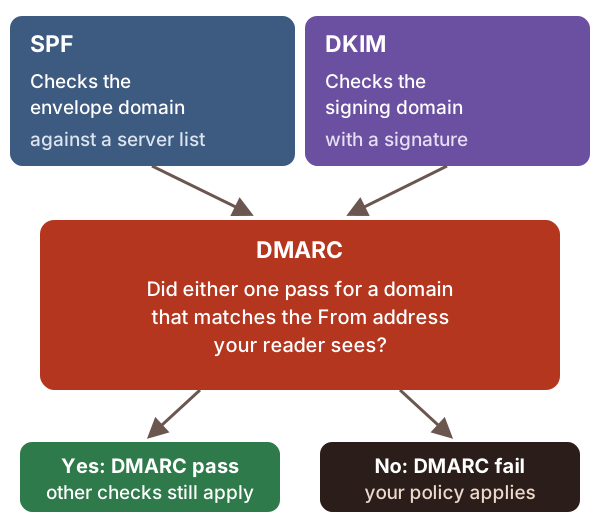
DMARC is a short DNS record that ties SPF and DKIM to the From address your readers see. A message passes DMARC when SPF or DKIM passes for a domain that matches the From domain. Your record also tells receivers what you'd like done with mail that fails, and where to send reports.
The detail
SPF and DKIM each check a domain. The trouble is, neither checks the domain your readers see.
SPF doesn't compare the envelope domain with the From address.[1] DKIM doesn't care whether the signing domain matches the From address either.[1] So a scammer can pass both with their own domain, and still write your address in the From line.
DMARC closes that gap. It's built on SPF and DKIM, and it focuses on the From domain. That's the domain in the From address your reader sees.[2]
Matching domains: alignment
DMARC asks one question. Did SPF or DKIM pass for a domain that matches the From domain? The standard calls this match alignment.
There are two ways to match:
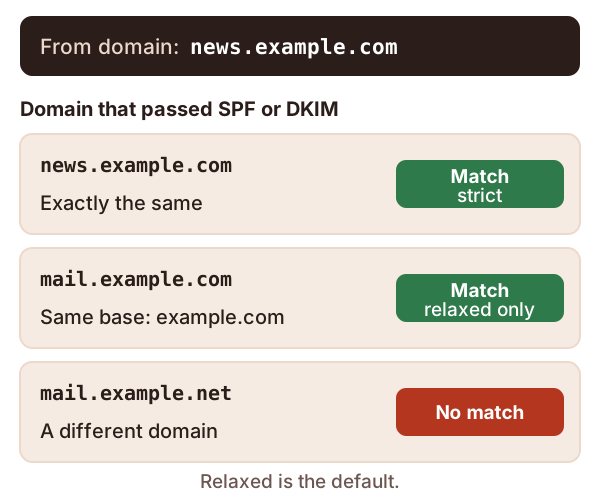
- Relaxed alignment. The two domains share the same base domain.
news.example.comandmail.example.comboth belong toexample.com, so they match.[2] - Strict alignment. The two domains are exactly the same.[2]
Relaxed is the default.[2] The standard says nearly every domain owner finds it enough.[2]
Only one of the two needs to line up. A matching DKIM pass is enough.[2] So is a matching SPF pass, which DMARC checks against the envelope sender.[2]
Mail sent through an outside service can fail DMARC this way. The service may pass SPF and DKIM for its own domain, not yours. The fix is to have the service sign with your domain.[2]
The record
You publish DMARC as a TXT record named _dmarc on your domain.[2] For example.com, that's _dmarc.example.com. Here's a typical first record.
v=DMARC1; p=none; rua=mailto:[email protected]
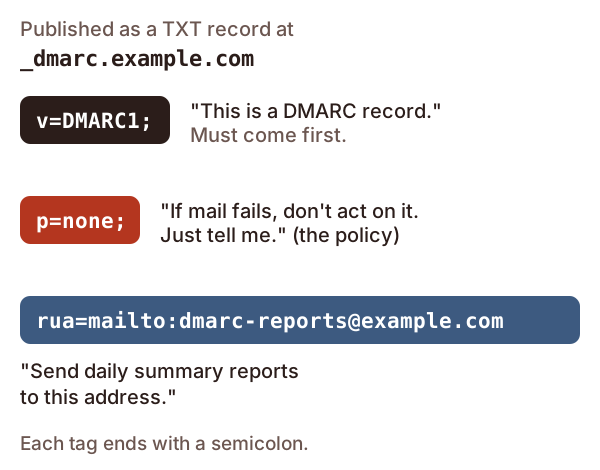
These are the tags you'll meet most often.
| Tag | What it does |
|---|---|
v=DMARC1 |
Marks this as a DMARC record. It must come first.[2] |
p= |
Your policy: what you'd like done with mail that fails[2] |
rua= |
Where to send reports. Leave it out and you get none.[2] |
sp= |
A separate policy for your subdomains[2] |
adkim=, aspf= |
Set s for strict alignment. Leave them out for relaxed.[2] |
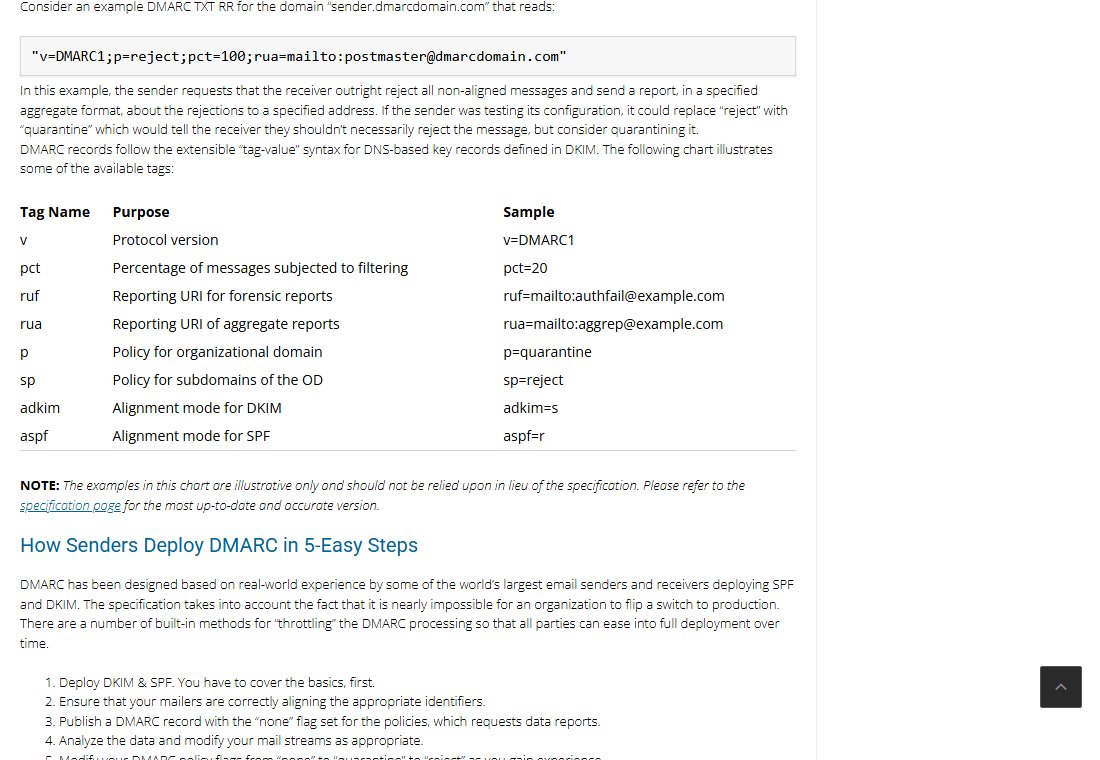
The site dmarc.org has a good overview of the record and its tags.[3] Note that its list includes pct, which the 2026 standard has retired.[2]
The three policies
| Policy | What the domain is saying | What Google does with failing mail |
|---|---|---|
p=none |
"No preference. Just send reports."[2] | Delivers it as usual[4] |
p=quarantine |
"Failing mail is suspicious."[2] | Puts it in the spam folder[4] |
p=reject |
"Failing mail is not from us."[2] | Refuses it, and the sender usually gets a bounce[4] |
Your policy is a request, not an order. The receiving provider always makes the final call.[2] It may even send mail that passes DMARC to spam.[2] A DMARC pass only proves the mail is really yours. It doesn't prove anyone wants it.
Don't jump straight to p=reject. How to roll out DMARC explains the safe path.
The reports
If your record has rua=, providers send you aggregate reports. These arrive daily, or more often.[5] They show which servers sent mail using your domain, and whether it passed. Each one is an XML file, meant for software rather than people.[5]
Do you need it?
If you send to Gmail in bulk, yes. Google requires SPF, DKIM and DMARC from bulk senders.[6] See the bulk sender rules. For everyone else, it's still the only way to see who is sending mail in your name.
One more thing. In May 2026, a new DMARC standard, RFC 9989, replaced the old one, RFC 7489.[2] Your record still starts v=DMARC1.[2] Older guides that mention RFC 7489 are mostly still right, but not about pct.
Sources
- How email authentication works in Microsoft 365, Microsoft Learn (accessed 2026-10-18)
- RFC 9989: Domain-Based Message Authentication, Reporting, and Conformance (DMARC), IETF (accessed 2026-10-18)
- DMARC overview, dmarc.org (accessed 2026-10-18)
- Set up DMARC, Google Workspace Admin Help (accessed 2026-10-18)
- RFC 9990: DMARC Aggregate Reporting, IETF (accessed 2026-10-18)
- Email sender guidelines, Google (Gmail Help) (accessed 2026-10-18)