 Why It Went to Spam
What is sender reputation?
Short answer
Sender reputation is the track record a mailbox provider keeps for your sending domain and the IP addresses you send from. Spam complaints, mail to dead addresses and sudden jumps in volume drag it down. Steady sending to people who asked for your mail builds it up, slowly.
The detail
Every big mailbox provider keeps notes on the mail it gets from you. Did people want it? Did they report it? Did it bounce? Those notes add up to your sender reputation. When your mail arrives, the filter checks it, and a poor score pushes you toward spam.
Two kinds of reputation
Domain reputation belongs to the domain you send from, such as example.com. IP reputation belongs to the server address your mail leaves from. Yahoo says both the IP and the DKIM domain carry a reputation.[1] Gmail's Postmaster Tools shows a rating for each.[2]
Your domain is the one that follows you around. The SPF standard notes that domains stay stable longer than IP addresses do. So their reputation tends to be more accurate.[3] Change email service and your IP address changes. Your domain doesn't.
Authentication is what makes a domain reputation possible. Without it, the DKIM standard says, mail has no reliable name to attach trust or reputation to.[4] That's one more reason to set up DKIM.
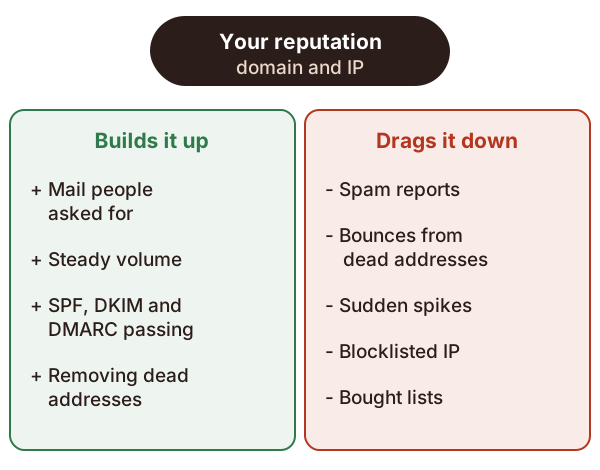
What drags it down
- Spam reports. Google says these lower your domain's reputation over time.[5]
- Mail nobody reads. Yahoo says mailing people who don't read your mail hurts your reputation. So does mailing people who report it.[1]
- Bounces. Google suggests removing people whose mail bounces again and again.[5]
- Blocklists. If your server's IP address is on a blocklist, your mail is more likely to land in spam.[5]
- Fake phishing tests. Google says not to send test phishing mail from your domain.[5] Run staff training from a separate domain.
- Your own team. Google warns staff not to mark internal mail as spam.[5]
For example, say you dig out a customer list from five years ago and mail all of it. Many addresses are dead and bounce. Many people forgot you, and some click "Report spam". One send can undo months of good work.
Warming up a new domain or server
A new domain or IP address has no track record. Providers are wary of it. So you build trust slowly, which is called warming up.
Google's advice is to start with a small volume, sent to people who engage, and grow slowly.[5] Suddenly doubling your volume can get you slowed down or hurt your reputation.[5]
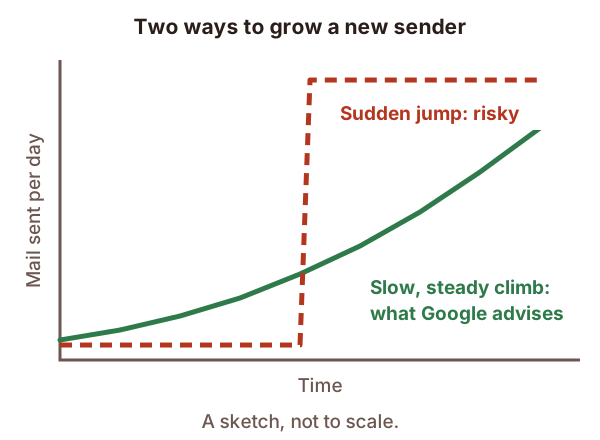
Two details from Google help you plan. The bigger your list, the slower you should grow.[5] And you can grow faster if you send daily rather than weekly.[5]
In practice, that means mailing your most active readers first, such as people who opened recent emails.
Keep different mail apart
Google suggests a separate IP address for each type of mail, if you send from more than one.[5] It also says each type should keep its own From address.[5] Yahoo says the same: splitting mail by purpose helps delivery.[1]
That way, a marketing email that annoys people doesn't drag down your password resets. Something like [email protected] for offers and [email protected] for account mail works well.
How to check yours
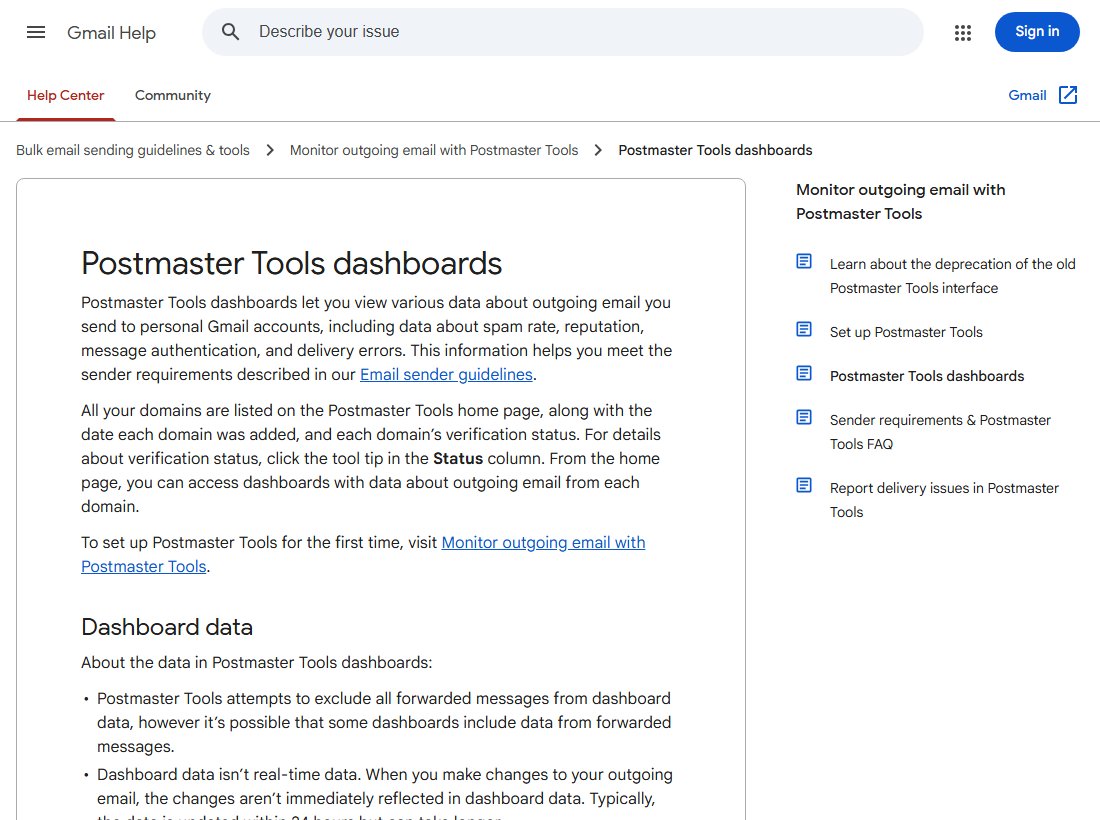
- Gmail: Google's free Postmaster Tools shows your domain reputation, IP reputation and spam rate.[2] It only covers mail sent to personal Gmail accounts.[6]
- Yahoo: once you sign with DKIM, Yahoo's complaint feedback program helps you track spam complaints.[1]
Fixing a damaged reputation
There's no reset button. Stop whatever caused the damage, then send good mail steadily to people who want it. Google says it takes time for a better spam rate to show up in filtering.[5]
If you send in volume, also check the bulk sender rules. Missing them can look a lot like a reputation problem.
Sources
- Sender Best Practices, Yahoo (accessed 2026-10-18)
- Postmaster Tools dashboards, Google (Gmail Help) (accessed 2026-10-18)
- RFC 7208: Sender Policy Framework (SPF), IETF (accessed 2026-10-18)
- RFC 6376: DomainKeys Identified Mail (DKIM) Signatures, IETF (accessed 2026-10-18)
- Email sender guidelines, Google (Gmail Help) (accessed 2026-10-18)
- Set up Postmaster Tools, Google (Gmail Help) (accessed 2026-10-18)