 Why It Went to Spam
Why do legitimate emails go to spam?
Short answer
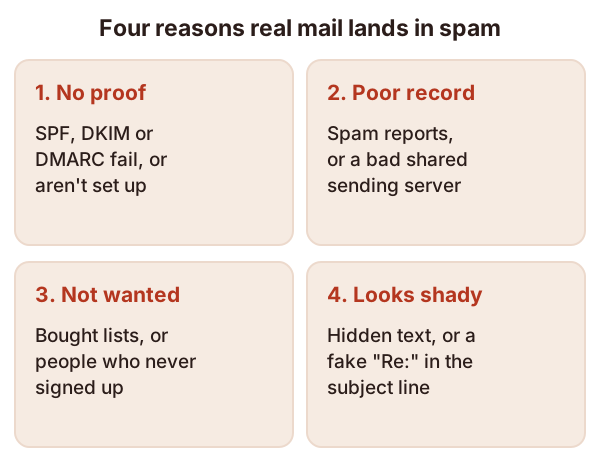
Real email usually lands in spam for one of four reasons. It can't prove it came from your domain, your domain or server has a poor track record, people didn't ask for it, or the message itself looks shady. You can fix all four, but nothing can promise the inbox.
The detail
Gmail, Yahoo and Outlook.com each run a spam filter. That's software that looks at every incoming message and decides where it goes. It can put the message in the inbox, put it in the spam folder, or refuse it outright.
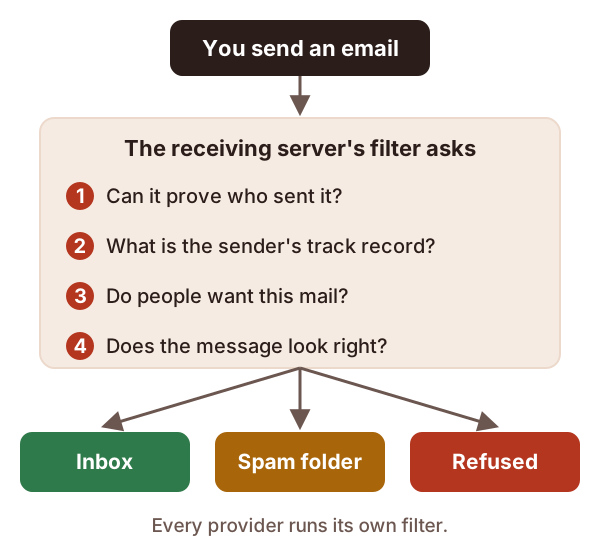
Google is blunt about what happens when a sender breaks its rules. Your mail "might not be delivered as expected, or might be marked as spam."[1] The reasons fall into four groups.
1. Your mail can't prove who sent it
Email was built on trust. Any server can put any domain name on the mail it sends.[2] That's how fake "your bank" email works.
So mailbox providers look for authentication. That means proof that a message really came from the domain it names. Three standards do this job: SPF, DKIM and DMARC. Each one is a short line of text you publish in your domain's DNS, as a TXT record.[3]
Google says mail without this proof "might be marked as spam or rejected".[1]
A common example: you start using a new newsletter service, but your SPF record never gets updated to list it. Google warns that mail from senders missing from your SPF record is more likely to land in spam.[1]
2. Your track record is poor
Providers remember how people reacted to your past mail. This memory is your sender reputation. Google says that if your mail is often reported as spam, your future mail is more likely to go there too.[1]
You can also inherit a bad record. Many senders share one sending server. On a shared IP address, one sender's behavior affects the reputation of everyone using it.[1] So a careless neighbor can drag your mail down.
3. People didn't ask for it
The fastest way to collect spam reports is to email people who never signed up. Google's guidelines say not to buy address lists, and not to mail people who didn't sign up.[1]
For example, say you add every business card from a trade show to your newsletter list. Some of those people won't remember you. A few will click "Report spam", and that hurts the mail you send to everyone else.
4. The message looks shady
Filters also read the message itself. Google warns that hidden text, using HTML tricks, might send mail to spam.[1] It also says a subject should start with "Re:" or "Fwd:" only if the message really is a reply or forward.[1]
A subject line like "Re: your order" on a sales email is a classic example. It tries to look like part of a conversation, and filters notice.
Checks to try, in this order
- Look at the headers of a message that went to spam. They show whether SPF, DKIM and DMARC passed. See how to read email headers.
- Fix any authentication failure. Start with what SPF is, then DKIM and DMARC.
- Check your reputation and complaint rate. See what sender reputation is.
- If you send a lot of mail, check the bulk sender requirements.
- Last, look at the message itself. Check the subject line, the sender name and any hidden content.
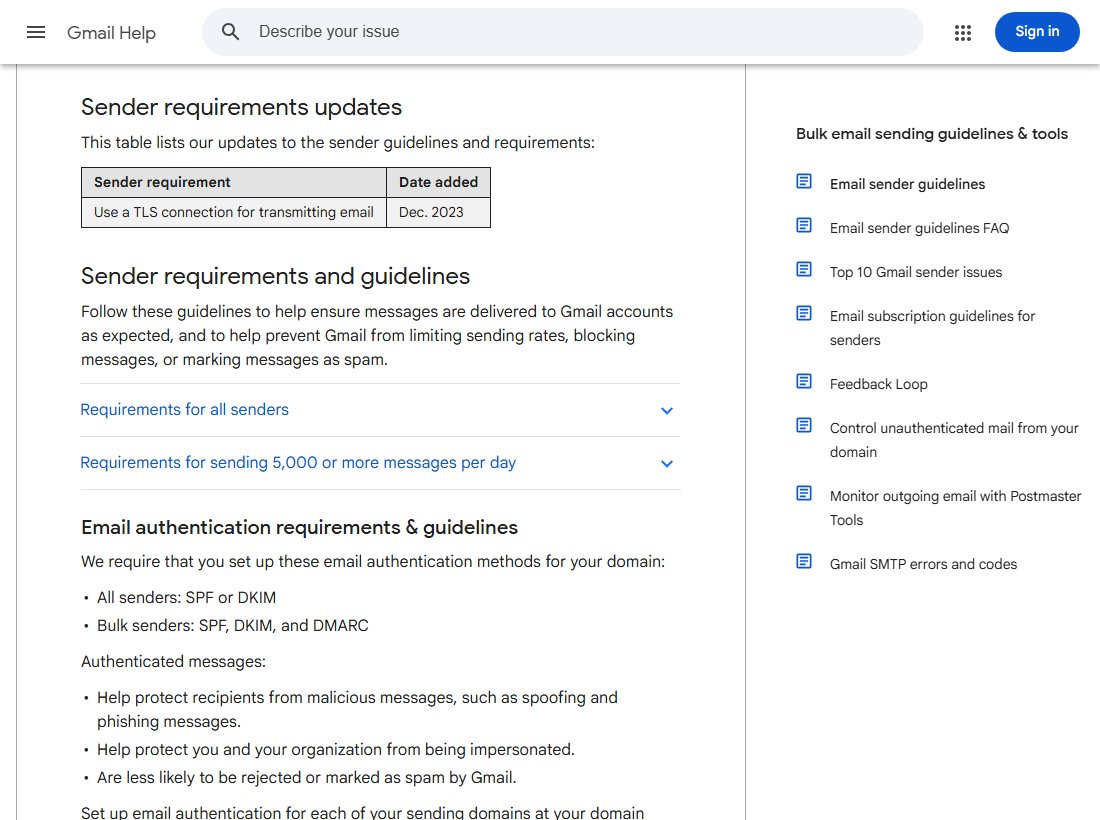
Google publishes its full list of rules for anyone sending to Gmail accounts. It's worth reading once, top to bottom.
What nobody can promise
Doing all of this improves your odds. It does not guarantee the inbox. Google says it can't promise that mail from any email provider will pass its filters.[1] It also admits that some real mail gets marked as spam.[1] Filters make mistakes, and your job is to give them as few reasons as possible.
To see what the filters weigh, read how spam filters decide.
Sources
- Email sender guidelines, Google (Gmail Help) (accessed 2026-10-18)
- RFC 7208: Sender Policy Framework (SPF), IETF (accessed 2026-10-18)
- RFC 9989: Domain-Based Message Authentication, Reporting, and Conformance (DMARC), IETF (accessed 2026-10-18)